
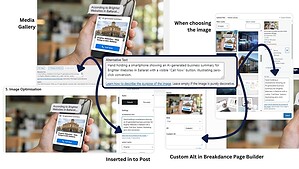
How to Get Image SEO Basics Right at launch and after updates
Learn how to optimise website images for SEO, accessibility, and…

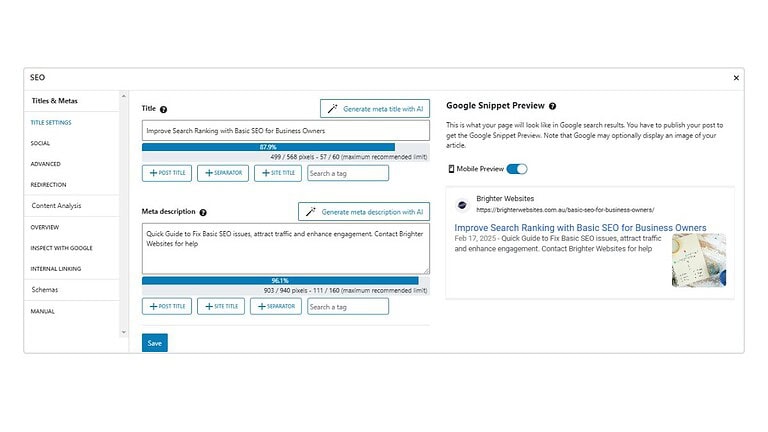
SEO helps your website appear higher in Google search results so more people can find your business. It starts with using clear titles, relevant keywords, and well-structured headings. Optimise your meta title, description, and URLs, and make sure your content is easy to read and mobile-friendly. Don’t forget to compress images and add keyword-rich alt text. Internal and external links boost credibility, and calls to action help turn visitors into customers. Use tools like SEOPress and Google Search Console to track performance and make improvements. Done right, SEO brings in more traffic, more leads, and better results over time.
Use tools like SEOPress to analyse and improve your on-page SEO
Review your performance in Google Search Console after publishing
SEO (Search Engine Optimisation) helps your pages and blog posts rank higher on search engines, making them more visible to potential visitors.
A well-optimised page ensures your website gets targeted traffic and better engagement.
Search engines, and now AI search assistants, don’t just match keywords anymore. They evaluate how clearly your website demonstrates expertise, trust, and real-world relevance.
Here’s what matters most in 2026:
To win in 2026 and beyond, content must be machine-readable and modular.
If one business owner writes a blog post about “5 Tips for Lawn Care” that looks exactly like the other 5 million posts on the web, AI will just summarize the topic and never cite their website. “What do you say that your competitors are afraid to say or haven’t thought to mention?” or “What is a common myth in your industry you can debunk?” Unique perspectives are “citation gold” for AI.
Helpful tools for helpful content
Google prioritises content that answers user intent clearly and concisely. Use Grammarly’s Readability Score or Hemingway Editor’s readability checker to calculate the average level of education needed to understand your content.
A clean, descriptive URL helps both search engines and users understand your content instantly, and it’s still one of the strongest on-page ranking signals. Once your site is live, avoid changing established URLs unless necessary, update with 301 redirects to keep your SEO equity intact.
?id=123) unless required for technical reasons.Good: yourwebsite.com/ballarat-web-design/
Not Like this: yourwebsite.com/blog-post-12345/ (
/my-new-page/)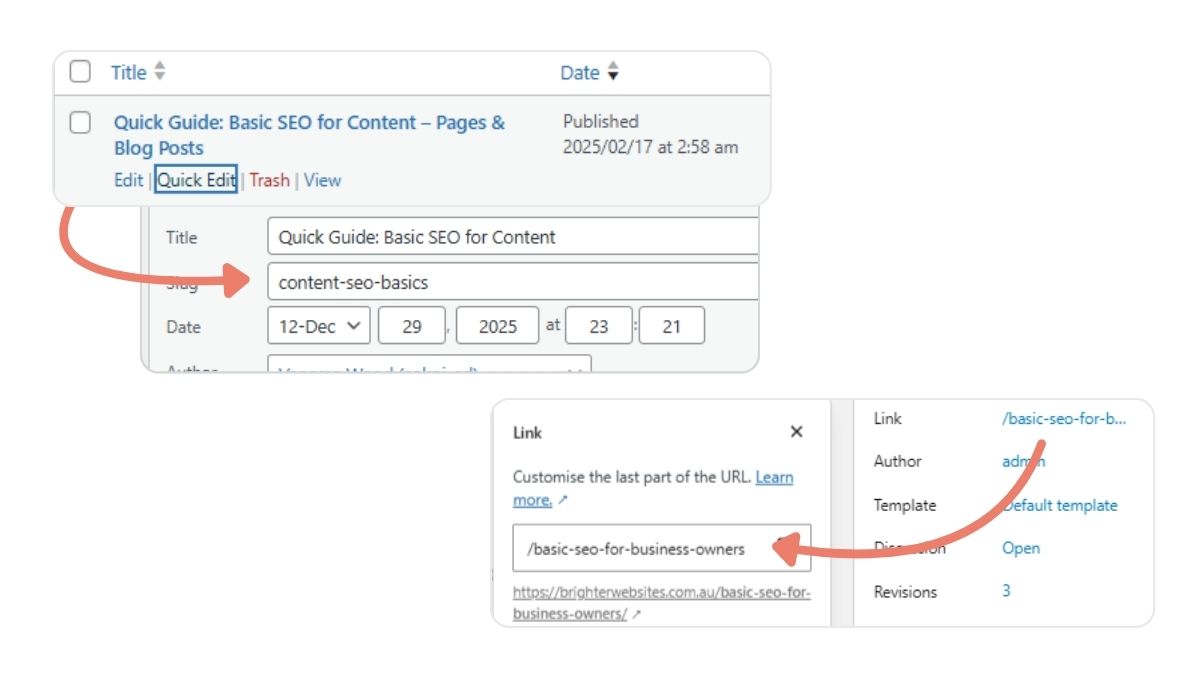
Smart linking is about more than just adding hyperlinks, it’s about building relationships between your content, services, and user intent.
Done right, it improves user flow, strengthens topic authority, and helps both Google and AI systems understand how your pages connect.
Every link on your site should have a purpose:
- Internal links guide users deeper into your ecosystem.
- External links prove your authority and credibility.
- CTAs turn intent into measurable action.
When all three work together, your content doesn’t just rank, it converts, informs, and builds authority across both traditional and AI-driven search.
Internal links tell search engines what’s important on your website. When you strategically connect related pages (like service pages, case studies, or guides), you help users, and algorithms, follow a clear pathway through your expertise.
Link to relevant pages within your website to improve user navigation and help Google understand your site structure. If you mention SEO strategies, link to a relevant SEO guide on your website to keep visitors engaged
Use external links sparingly and strategically, your goal is to build credibility without leaking traffic. Think of them as citations that validate your claims, not escape routes from your funnel. It’s a signal of transparency and authority, especially in the E-E-A-T (Experience, Expertise, Authoritativeness, Trustworthiness) model.
Technical excellence is no longer just “SEO”; it is a reliability signal. If a site is slow or unstable, AI search engines may discount it as an authoritative source.
Check Mobile Performance with Googles performance tools or PageSpeed Insights to check speed & fix any issues.
Design your page and content for user conversion, Include relevant CTAs to encourage user interaction (e.g., “Contact us,” “Download our guide,” “Get a free quote”) and Encourage visitors to share, comment, or engage with your content.
Google tracks engagement (clicks, time on page, shares), and higher engagement boosts rankings. Use Google Search Console (GSC) for valuable insights into how your website appears in search results and how users interact with it. You can check Click-Through Rate (CTR), Search Performance, Which Queries & Pages Perform Best and Check Bounce Rate & Dwell Time.
Search has evolved beyond keyword and Google and AI systems like ChatGPT and Gemini now interpret meaning and intent. That means your headings and titles should guide both readers and algorithms clearly through your topic.
Use an AI content optimisation tool like NeuronWriter, Surfer SEO, or MarketMuse to identify semantic gaps and align your content with AI search intent, especially for long-form or location-based service pages.
Meta tags aren’t just for human clicks; they are data summaries for AI agents. Check your search preview using tools like Google Search Preview. But Try this: Search for your service and a particular page using a longer question based search, notice the page description and titles may change based on the intent of your search.
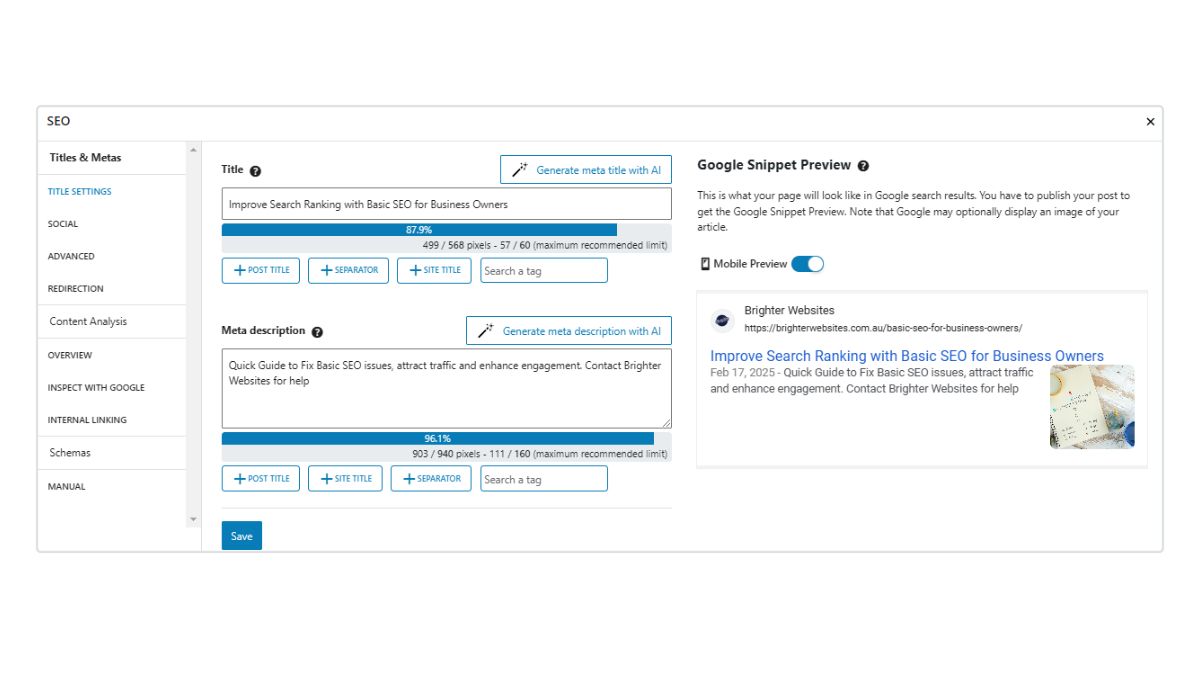
Generate AI-Ready Titles/Metas: Use the SEO Press AI Generate tool to draft your titles, then manually edit them to ensure they lead with your Positioning and the intent behind the page.
Ensure your Schema is active. This is the code that tells AI exactly who you are, what you do, and where you are. It’s the difference between being ‘seen’ and being ‘cited’.
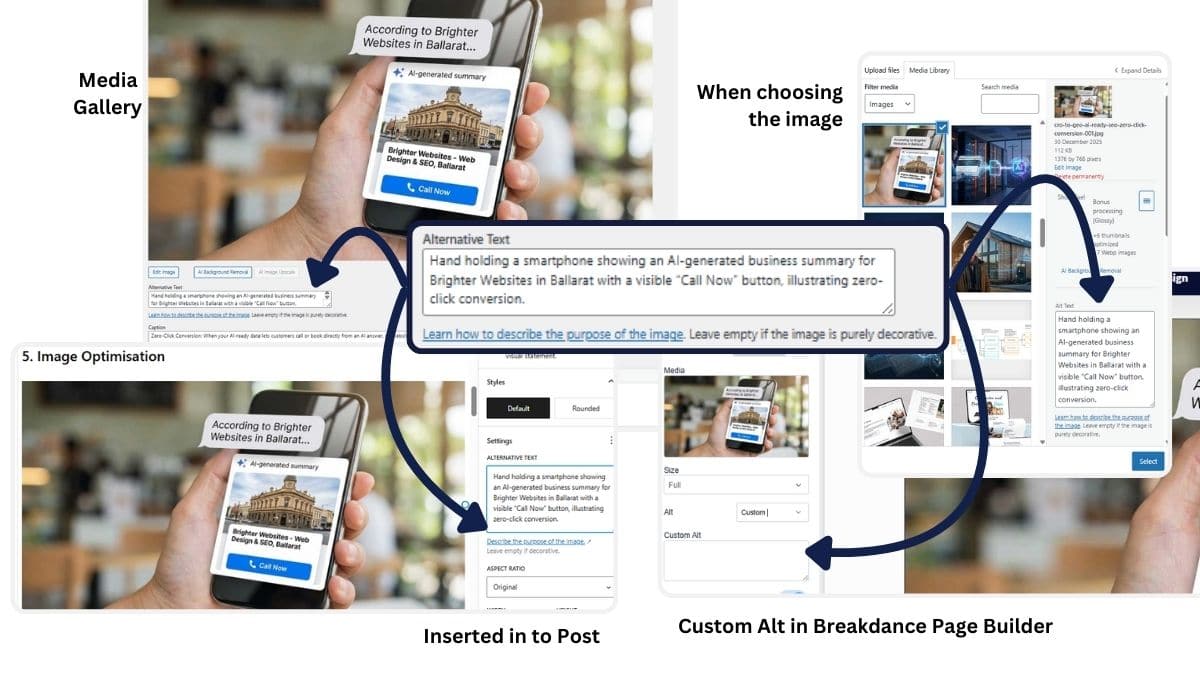
Images play a big role in how fast your website loads and how well it ranks in Google. Clean, well-optimised images improve user experience, boost Core Web Vitals, and help search engines (and AI) understand your content better.
ballarat-lawn-care-services.jpg instead of IMG_0023.jpg).For a full walkthrough on resizing, compressing, and writing effective alt text, see our detailed guide How to Get Image SEO Basics Right at Launch and After Updates
Business owners get obsessed with “green lights” in SEO plugins.
Tools like these are a guide, not a god. A ‘Red Light’ for keyword density or meta description is too long – is fine if the article is brilliant and helpful and the description clearly summarise the intent and purpose of the page.
Don’t ruin your writing just to make a plugin happy. AI values humans, not robots.”
Google Search Console Integration: SEO is not a one-time process, review your content’s performance. Once the page has been live for a week, return to SEOPress. It will pull data from Search Console to show you the actual questions customers are asking to find you. Use these questions to add an FAQ section (Schema-optimized) to the page
See how your page ranks, check if AI is starting to cite you & identify any issues like indexing errors, crawl issues, or keyword gaps.
Discover more expert insights to the latest Web Design and SEO trends, these curated blog posts are designed to broaden your horizons and spark your imagination.


Hit submit and I’ll reach out by email or phone to help you get started. Your details stay private, see the Privacy Policy.