


AI Agents & Websites
Using the Agent Connector Web Design with AI in Breakdance 3.0.0
Breakdance 3.0 beta’s Agent Connector lets AI agents build and edit native site data, preserving selectors, responsive rules, variables, fonts, and keyframes when source designs use structured tokens. This firsthand exploration across six websites also covers selector folders, custom AI workflow skills, conversion pitfalls, beta limitations, and the evolving collaboration between designer and agent.
 Updated 12 October 2026
11 min read
Updated 12 October 2026
11 min read
Summary
Using the Agent Connector feels useful when the source design is disciplined and the workflow rules are clear. The author also found that selector folders help track rebuild progress, while a custom AI skill file can enforce naming, element, and form rules so the agent follows Breakdance conventions during a build.
In this article
What happens when an AI agent hands Breakdance a design? It’s the part that decides whether this update is genuinely useful or just another API nobody touches.
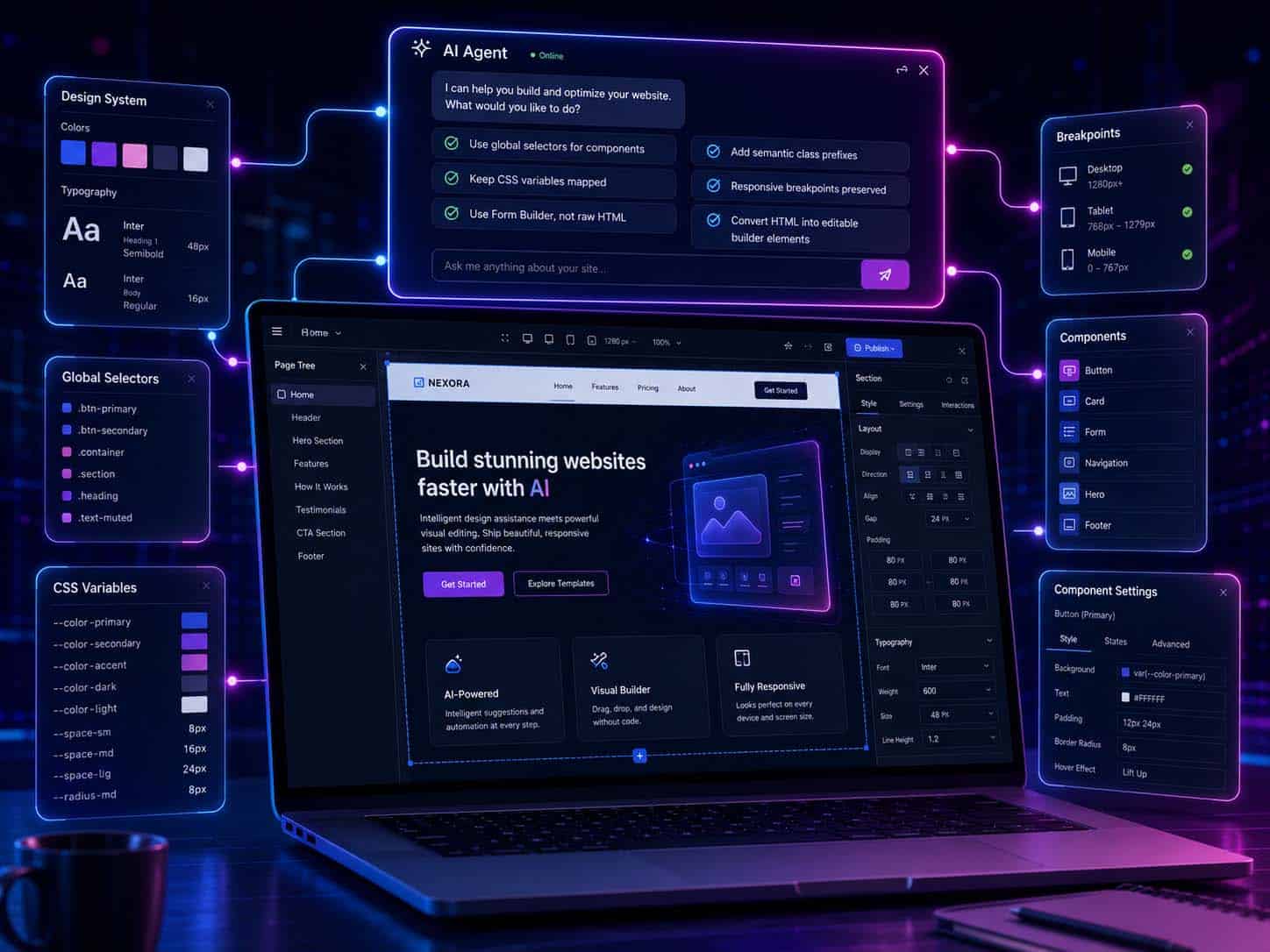
Breakdance 3.0 beta shipped with the Agent Connector. A native API that lets an AI agent read and write directly into a site’s builder data. Selectors, CSS variables, page trees, even full HTML-to-page conversion. Built to work together natively.
Finally Claude Design to Breakdance Is structured, repeatable and works well
What Gets Preserved When an Agent Builds the Page
I’ve used 3.0.0 beta in a number of scenarios, across 6 different websites.
- zero setup and fully built with AI
- zero setup and built with AI
- a 2.8 to 3.0 conversion and redesign with AI
- a 2.8 to 3.0 conversion and just refinement/updates with AI
- AI built/changed converted and then element styles edited/added and tweaked by hand
Here’s what I found so far. When an agent hands Breakdance a chunk of HTML and CSS, the conversion isn’t a flatten-everything-to-inline-styles job. It’s way smarter (and as each beta is released the way it works improves).
CSS classes become native global selectors. Responsive rules get mapped to Breakdance’s own breakpoints, not left as raw media queries. And this is the exciting part variables, fonts, and keyframes survive the conversion if the source CSS actually used them.
That “if” is doing a lot of work.
The Token-First Reality This Creates: Feed the converter a design with hardcoded hex values baked into every element, and you’ll get a page full of one-off inline styles. The exact mess you’d expect from any HTML import. Feed it a design that references var(--brand-red) consistently, and Breakdance registers that as a genuine, editable mapped, and tracked Variable in global settings.
Its a wildly different output, depending entirely on whether the source respected tokens.
Practically, that means the old workflow… build in whatever tool you like, then manually detoken and rebuild the design system inside Breakdance is not the only option. If the source is disciplined, the agent conversion creates your token system for you rather than you creating it after the fact.
Selector-Naming in 3.0 is Boss Level!
There’s a second finding, smaller but arguably more useful day-to-day: Breakdance’s newer global selectors and folder/organisation features solve a naming problem a lot of builders have been solving badly.
Ever prefixed a class with something temporary? like xx_ just to mark “this one’s from before the rebuild” or “touched since the migration”? It works, until it doesn’t. Six months later nobody remembers what the interim prefix meant, and you’re stuck with two competing naming systems on one site.
That’s a filing problem, not a naming problem. And Breakdance now has a filing feature for it!!
Selector folders let you track build status and migration progress without corrupting the class name itself. Which means the name only ever has to answer one question: what is this selector, not where does it stand in a rebuild.
Small fix. But if you’ve inherited a site with three inconsistent prefixes stacked on top of each other because someone reached for naming instead of organisation, you’ll know exactly why this matters.
AI to Build, AI to Convert, you still choose how its “designed”
So the real unlock isn’t just “AI builds your site now.” It’s that the plumbing connecting AI-generated design to a real, editable Breakdance build finally respects the difference between a token and a hardcoded value. For anyone still hand-detokening every AI export, that’s not a small thing.
Using a Breakdance Custom Skill for Workflow Helps Heaps!
Somewhere in this process I ended up building a personal Breakdance conventions skill — a living document an AI agent reads before touching any build. It does two jobs.
The first is straightforward: it encodes my own building preferences, so they get applied without me restating them on every project. A few examples —
The Prefix-as-Workflow-Signal Rule: every site gets one semantic prefix (gs_, dg_), applied only to classes that name something specific to that site’s content. Generic utility classes stay unprefixed on purpose — it’s not tidiness, it’s a working signal. Anything still unprefixed at cleanup time is safe to delete.
Sub-Elements Use BEM, Not Improvised Separators: once a component has more than one named part, child elements get a double-underscore (gs_project__card), consistently — not a hyphen here and camelCase there depending on mood.
No CSS Background-Images, Ever: hero and section backgrounds are actual image elements, not background-image in CSS. And I direct that fetchpriority, decoding, and lazy-loading controls get added in hero containers on build.
Agency Components Get Their Own Tier: anything built once and reused across multiple client sites carries a bw- prefix A third naming tier, separate from both site-specific work and generic utilities.
The second job is where it really helps, especially working with a beta release. Catching the gap between Breakdance’s own AI instructions and what an agent needs to know mid-build.
The built-in get-instructions tool is pretty comprehensive. It’s not realistic to load every possible nuance for every website build use case into context at the start of every build session. So I don’t see this as “breakdance instructions are incomplete”. There’s a dedicated ecommerce instruction set for WooCommerce builds alone. Loading everything, every time, just to style a button, isn’t efficient and that is also what leads to context rot as the AI session continues. And it isn’t necessary.
So the skill file catches what falls through: nuances specific enough and usually scoped to the more advanced setting and features that they’d get missed otherwise.
A Caveat though: I started building this back in beta 1, so some of what I flagged for myself is already moot. AI-driven conditional creation, for one. Up to beta 3 or 4, the agent couldn’t set “Only Show Element If” logic directly, and now it can.
A couple other small traps:
Don’t create an a { color: * } as a selector. Breakdance’s global settings Colors > Links is where it needs to sit. If AI creates and colours it as a selector, you’ve broken the inheritance chain the global settings are meant to control.
Don’t add an ID as an attribute. Breakdance has a dedicated ID field on every element. AI needs to use that, not a manually-added id="whatever" attribute. An attribute-set ID won’t be visible to Breakdance’s own selector and interaction system the way the dedicated field is. To AI it looks like it worked until something downstream needs to reference it.
Don’t build forms in raw HTML. Breakdance has its own Form Builder element. Use it. An agent that reaches for a hand-coded <form> tag instead skips Breakdance’s own submission handling, validation, and integrations entirely. It might look fine. But it won’t function like a Breakdance form, because it isn’t one.
There are quite a few more but they were the early ones.
A Collaboration Learning Curve
This is not a verdict or product review, it’s more so about how using it is unfolding. I’m enjoying working this way. Genuinely! But there’s a real frustration in it too. I can’t always tell you where that frustration comes from.
Beta rough edges? Bugs that’ll quietly disappear in a point release? Or a genuine limit of what 3.0’s Agent Connector can do right now? Probably a combo of each. I don’t have a clean way to separate it all just yet.
This is the first time I’ve actually worked collaboratively on a build. Rather than doing it all myself start to finish. And a fair chunk of what feels like friction might not be the tool at all. It’s me learning how to do this well. Learning to describe what I actually want instead of what I think I want. Picking the right model for the task. Working out how much direction to hand over in one go. Or when handing over less gets a better result than handing over more.
Some things still feel faster if I just do them myself. Perhaps that’s not a failure of AI or of Breakdance’s connector. It’s just where the learning curve currently sits for me.
Written by
Vanessa Wood
Creator of the ALTC Framework and AI-Ready SEO Strategist at Brighter Websites.
Stay in the loop
Get New Articles by Email
Occasional emails from Vanessa about AI search, SEO and website marketing for regional service businesses. No spam, unsubscribe any time.
Or get in touch directlyKeep reading
More Articles

AI Agents & Websites
How I Made Contact Forms Ready for AI Agents on WordPress forms.
Read the article