

Gutenberg FAQ Selector block
The FAQ Selector block lets you add FAQs to any page or post without copying and pasting. FAQs live in one central library (FAQs in the WordPress menu). On a service page, blog […]
Usage Guide
Business Owners, Web Designers
Table Of Contents
The FAQ Selector block lets you add FAQs to any page or post without copying and pasting. FAQs live in one central library (FAQs in the WordPress menu). On a service page, blog post, or landing page, you drop in the block and tick which questions to show.
Think of it as a playlist — one FAQ library, many different pages can show different subsets in different orders.
How you use it
- Create FAQs once in FAQs → Add New FAQ (question = title, answer = content).
- Edit your page in the block editor (Gutenberg).
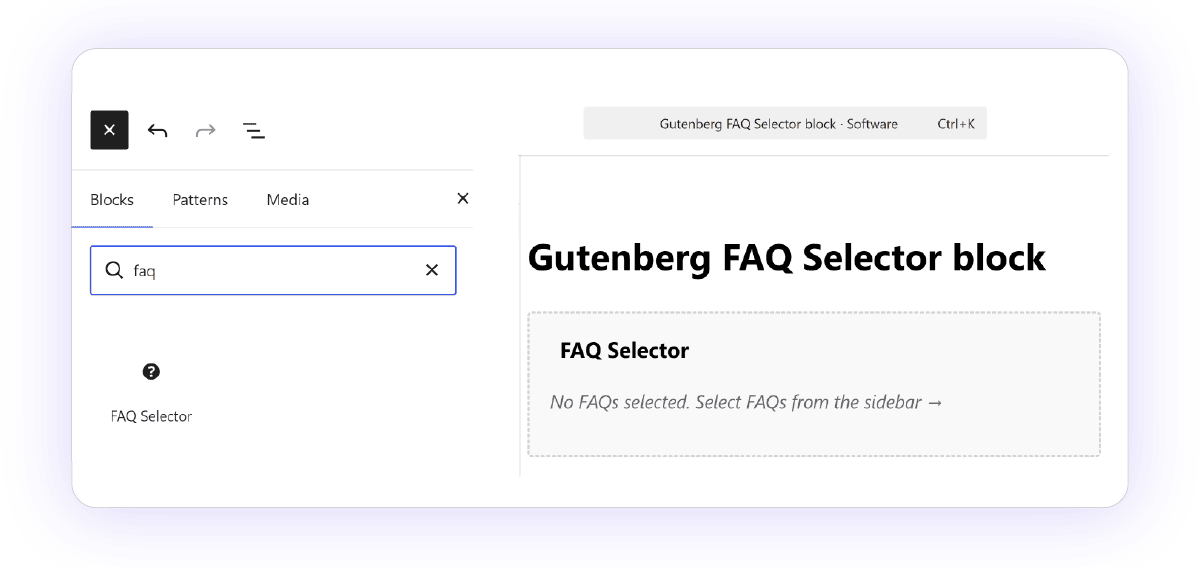
- Add the block — search for FAQ Selector (help icon).
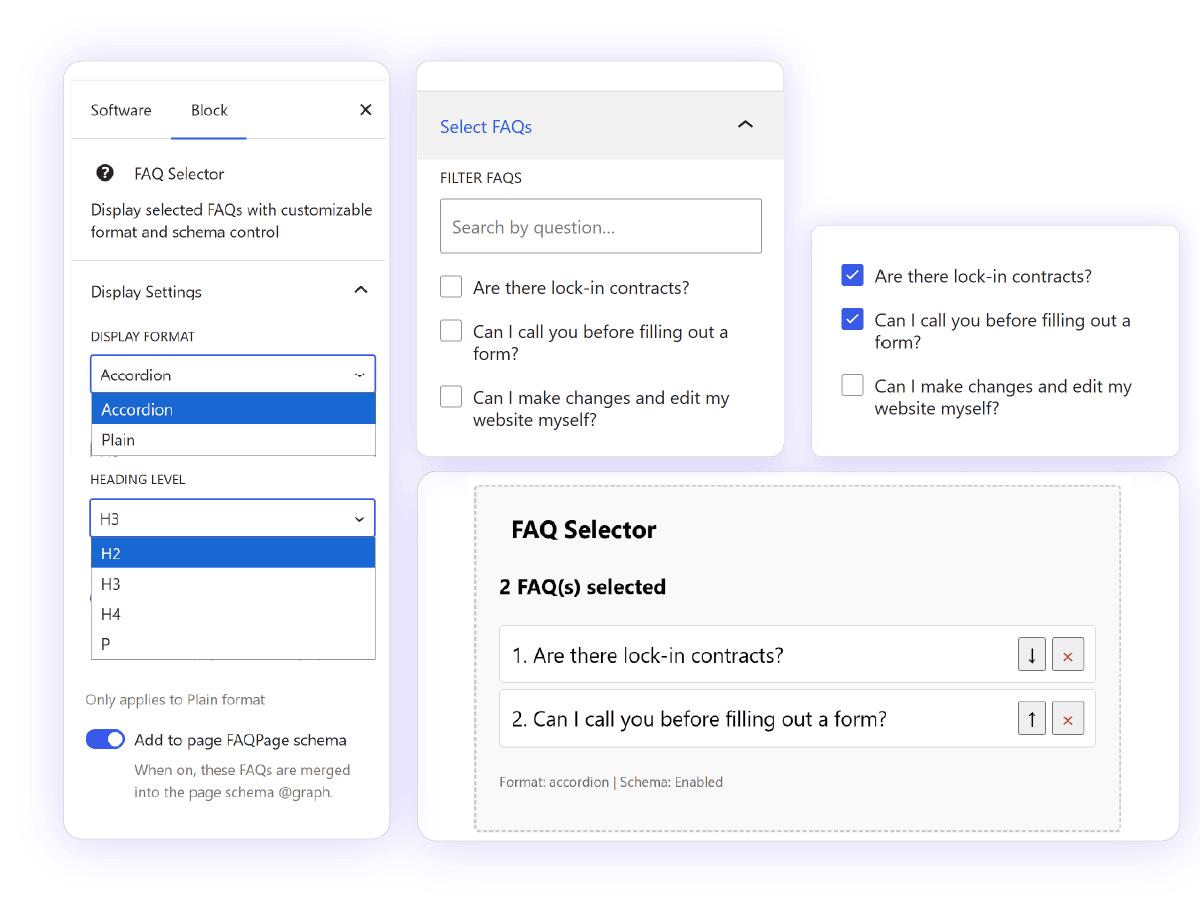
- In the sidebar, check the FAQs you want, drag order with ↑ ↓, remove with ×.
- Choose display settings:
- Accordion — click to expand (default)
- Plain — all Q&As visible; pick heading level (H2/H3/H4/P)
- Publish. Visitors see the FAQs; you didn’t duplicate content.
What’s cool about it
Write once, use everywhere
Update an answer in the FAQ library and every page using that FAQ updates automatically. No hunting through pages for old copy.
Curate per page
A pricing page might show 3 billing FAQs; a service page might show 8 technical ones. Same library, different picks per page. Reorder matters — put the most important question first.
Search when selecting
With many FAQs, use Filter FAQs in the sidebar to find questions by title instead of scrolling a long list.
SEO built in (without you thinking about JSON-LD)
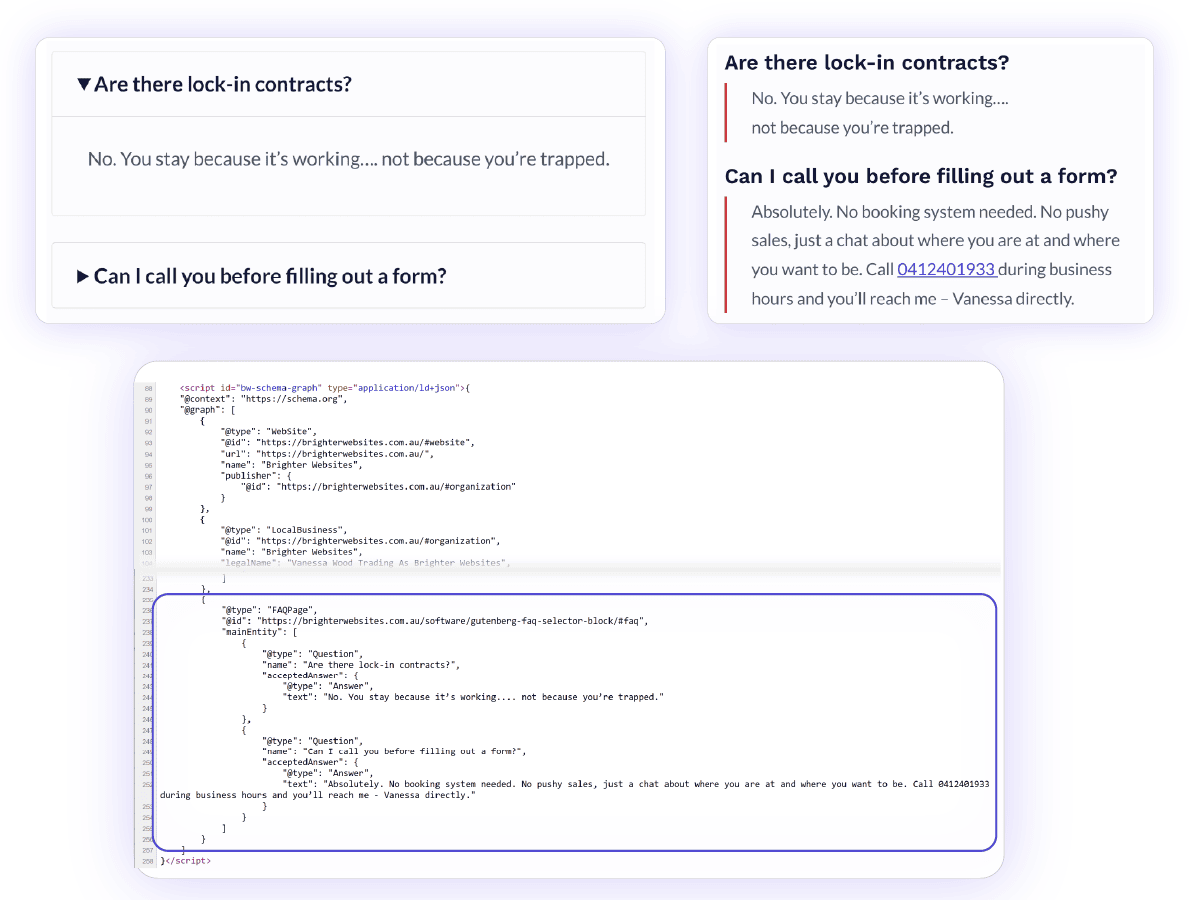
Toggle Add to page FAQPage schema on or off per block. When on, those FAQs are merged into the page’s structured data so Google can show rich results. The block does not dump a second schema script on the page — it plugs into SCOS’s single unified schema graph.
Pro tip: Each FAQ has a Schema Answer field — a short plain-text version for Google. The full answer on the page can be longer; schema stays concise.
Accordion or plain — your call
Accordion keeps pages shorter. Plain is better when you want everything visible (or for simpler styling).
You can also set p tags on the question, so if you don’t want them to be part of your heading hierarchy they don’t need to be.
Stays in sync with your strategy
FAQs share the site topic vocabulary (same topics as Content Architecture). They can also act as Search Intent Goals — a page can link to a FAQ as its strategic objective, not just display content.
Works alongside Breakdance
Breakdance sites can use the Scos FAQs element the same way. Gutenberg block and Breakdance element both feed the same schema system, and duplicates are deduplicated if both appear on one page.
Are there lock-in contracts?
No. You stay because it’s working…. not because you’re trapped.
Can I call you before filling out a form?
Absolutely. No booking system needed. No pushy sales, just a chat about where you are at and where you want to be. Call 0412401933 during business hours and you’ll reach me – Vanessa directly.
Are there lock-in contracts?
No. You stay because it’s working…. not because you’re trapped.
Can I call you before filling out a form?
Absolutely. No booking system needed. No pushy sales, just a chat about where you are at and where you want to be. Call 0412401933 during business hours and you’ll reach me – Vanessa directly.
What visitors see
- Accordion: native click-to-expand (
<details>) — no extra JavaScript required deliberately kept simple for performance. - Plain: questions as headings, answers below.
Styling uses classes like bw-faq-section — your theme or Breakdance CSS can shape the look.
What you don’t have to worry about
- No copy-paste drift between pages
- No duplicate schema breaking rich results
- No re-editing every page when one answer changes
- FAQs excluded from site search by default (they’re meant to be embedded, not standalone landing pages — though individual FAQ URLs exist for direct linking)
Quick mental model
| Old way | SCOS FAQ block |
|---|---|
| Paste Q&A into each page | Pick from a library |
| Update 5 pages when one answer changes | Single Source of Truth, Edit one FAQ post |
| Schema added manually or duplicated | One toggle per block |
| Same FAQs on every page | Different FAQ sets per page |
One library. Many pages. Pick, order, publish. That’s the value.
See more about how to use FAQs as part of a structured library in your content architecture.
Want to Contribute to SCOS?
SCOS is a Strategic Content Operating System - learn more or contact us on support@brighterwebsites.com.au.