Google Tools for SEO: The Visibility Infrastructure Stack
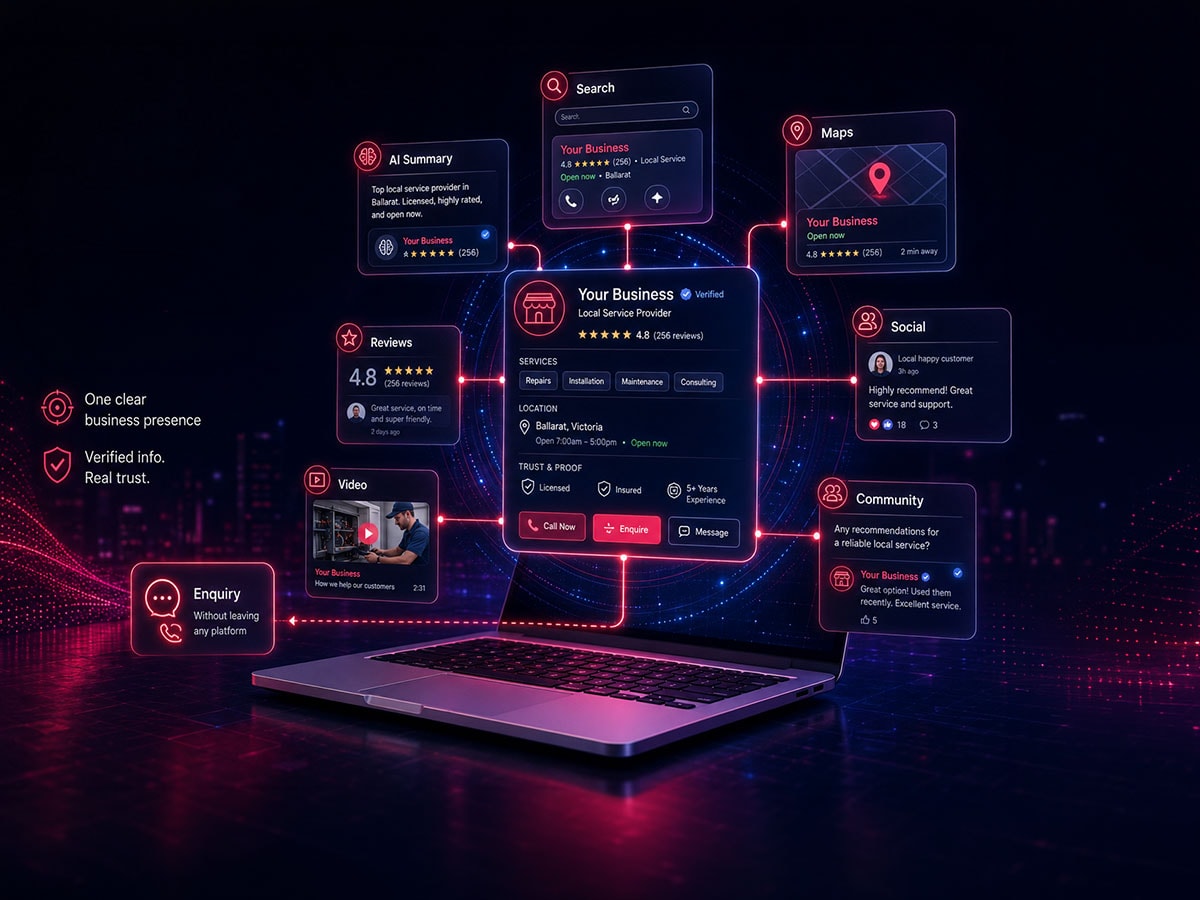
Most businesses don’t have a Google strategy problem. They have a disconnected systems problem. This article shows how Search Console, Maps, Analytics, and Workspace work together to improve visibility, trust, and enquiries.
By Vanessa Wood
·
Updated 12 October 2026
·
14 min read
Summary
Google tools work best as one connected visibility system. Search Console shows whether Google can access your pages, Business Profile drives local discovery, Analytics tracks real enquiries, and Workspace strengthens trust through a consistent business identity. When those tools are connected under one business account, visibility gets easier to manage and grow.
In this article
Most businesses think they’re “using Google.”
They’re not – well not really,
They’re using fragments of it, often scattered across personal logins, half-configured tools, and disconnected data. And then wondering why visibility feels inconsistent, leads are unpredictable, and nothing quite lines up.
Google doesn’t see your business the way you do. It sees visibility signals. Systems. Connections.
And if those signals aren’t connected, you don’t really exist, at least not in a way that’s easy to trust, rank, or recommend.
Google tools aren’t individual apps. They’re infrastructure. That’s a different mindset entirely.
Search Console isn’t “an SEO tool”
Business Profile isn’t “a listing”
Analytics isn’t “just reporting”
Together, they form a system that answers three critical questions:
Can Google see you?
Does Google trust you?
Do users actually convert when they find you?
If any one of those breaks, everything downstream suffers.
And yeah, this is where most regional businesses quietly lose ground.
What “visibility infrastructure” actually looks like
Let’s simplify it and think in layers.
1. Visibility (Can Google access your site?)
This is the non-negotiable layer. If your pages aren’t crawlable or indexable, nothing else matters. Not your design. Not your content. Not your ads. And it’s more common than you’d think.
I regularly see:
Pages blocked by noindex
Login walls preventing crawl access
Misconfigured robots.txt
Or worse, pages live, but never indexed
Google’s own documentation is clear here: If it can’t crawl the page, it can’t even see your indexing instructions.
So yeah, this isn’t “SEO polish.” It’s basic existence.
2. Understanding (Does Google know what you do?)
Once your site is visible, Google needs context. This is where tools connect:
Search Console → indexing + page status
Website structure → services, topics, intent
Schema → what your business actually is
Without this? You get vague rankings. Weak relevance. And zero chance of being cited in AI results.
The technical reality is simple: If Google can’t confidently understand your business, it won’t confidently recommend it.
3. Local Authority (Can people find you nearby?)
This is where Google Business Profile does the heavy lifting. Not as a directory listing, but as a trust and discovery engine. Because most local journeys look like this:
Search → Map → Reviews → Call → Visit
Not website first. Which means your profile:
Controls how you appear in Maps
Influences calls and direction requests
Impacts trust before someone even clicks your site
And honestly? This is where a lot of regional businesses win or lose leads.
4. Measurement (What actually happens after the click?)
Traffic doesn’t pay the bills. Actions do. This is where Google Analytics becomes more than “numbers on a screen.” Its your website analytics that shows:
Which pages bring real enquiries
Where users drop off
Which channels actually lead to revenue
Without this, you’re guessing. With it, you can improve, properly.
5. Brand Signals (Do you look like a real business?)
This one gets overlooked. But it matters more than people expect.
Using Google Workspace with a branded domain email isn’t just admin. It’s a trust signal. Compare:
info@yourbusiness.com.au vs
yourbusiness@gmail.com
Feels different, right? Google sees that too, as part of your broader identity consistency. And when your:
email domain
website domain
Business Profile
content
all align… You look established. Legit. Cohesive.
Why one primary business account changes everything
This is the part most people get wrong. They set things up like this:
Website on one account
Analytics on another
Business Profile owned by a staff member
Ads on an agencies login
It works… until it doesn’t.
Access gets lost. Data fragments. Ownership gets messy. And more importantly, Google sees disconnected signals. A single primary business account fixes that. It creates:
Clear ownership
Consistent data flow
Stronger trust signals
Simpler management long-term
It’s not just admin hygiene. It’s infrastructure integrity.
The simple setup sequence (that actually works)
You don’t need to overcomplicate this. Start here:
Make sure your pages are crawlable and indexed (Search Console)
Connect Analytics properly (track real actions, not just visits)
Complete your Business Profile (accurate, consistent, active)
Use Trends + Search to understand demand and language
Run everything from one business-owned account
That’s it.
Not flashy. But it works.
Where things usually break
It’s rarely a lack of tools. It’s how they’re used. Common issues:
Pages exist… but are excluded from indexing
Profiles exist… but are incomplete or inactive
Analytics is installed… but not tracking conversions
Email exists… but isn’t branded
Accounts exist… but aren’t owned properly
Individually, these feel small.
Together, they quietly kill visibility.
How this helps regional service businesses
If you’re in Ballarat. Daylesford. Geelong. Anywhere regional. This matters more, because your customers don’t behave like big-city buyers. They:
Search locally
Check maps
Read reviews
Call directly
Often within minutes. Which means your “Google setup” isn’t marketing. It’s your front door.
Don’t treat these Google tools as one time set up tasks. They are a system designed to be used together
The ultimate Google Visibility Infrastructure Stack
So what are all these tools and how can you use them. Here’s the full google stack!
Tool
What it is
How you can use in your marketing strategy
Link
Google Search
The search engine itself
Check how your brand appears, what pages are indexed, and how competitors show up. Use it to validate visibility, not assume it.
Generate a full social media and brand strategy directly from your website URL. Useful for quickly aligning messaging, content themes, and positioning without starting from scratch — especially for time-poor service businesses.
https://labs.google.com/pomelli/about/
Mix board
AI idea exploration and concept expansion tool
Explore, expand, and refine ideas before turning them into content or campaigns. Useful for developing angles, testing messaging directions, and breaking out of “blank page” thinking early in the strategy process.
https://labs.google.com/mixboard/welcome
Google Gemini
Google’s AI assistant
Use for ideation, drafts, analysis, and internal workflows. Best used alongside your own expertise, not instead of it.
Check if your schema markup is valid and eligible for rich results (FAQs, reviews, etc.). Helps improve how your pages appear in search, not just if they rank.
Experiment with AI workflows, specific image and content generation, and automation ideas. More advanced — but powerful for scaling systems. I prefer AI studio for image generation its highly customisable and you can get really amazing and very specific outcomes
This is underrated and not well know, its more of a usage hack then a tool you set up specifically.
And yeah — it works.
If you’ve got staff, contractors, or even regular visitors:
Send them your Google Maps directions link
Get them to navigate using your Business Profile listing (not just typing your address)
What this does:
Reinforces location activity signals
Strengthens association between your business and that location
Increases real-world engagement data tied to your listing
Is it a silver bullet? No. But in competitive local areas, these small signals stack.
A note re: Google Ads Keyword Planner
Google Ads Keyword Planner is useful for early search volume validation or finding keywords if that is still part of your strategy. But it’s built for paid campaigns. It doesn’t show true organic difficulty or accurate SEO competition like Ahrefs or Ubersuggest.
Where these tools fits in your growth strategy
This is exactly what the Website-First Blueprint is built around, your website and its connected systems acting as the central engine for visibility, authority, and conversion.
Everything feeds into it. One system.
Content
Search visibility
Maps discovery
Conversion tracking
And when that system is built properly, everything compounds.
Google tools as infrastructure your visibility depends on.
Set them up properly, under one account, connected, consistent, and things start working together.
Ignore the connections? You’ll keep patching symptoms instead of fixing the system.
If you’re not sure whether your setup is actually working as a system, not just installed, that’s usually the starting point. Most businesses don’t need more tools. They need better integration.
And that’s where the difference shows up.
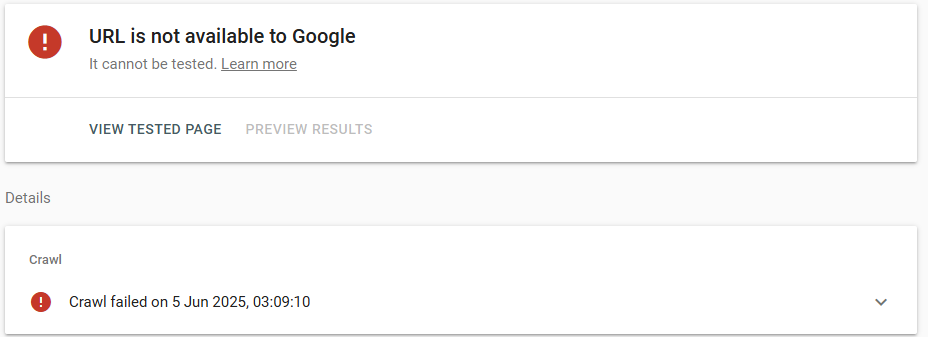
The Most important Visibility Check – Search Console Indexing Status
If your website isn’t showing up on Google, it’s often due to indexing or crawling issues. In this guide, we’ll walk through real troubleshooting steps, including a case study, to help get your website back into search results.
Why Your Site Might Not Be Showing up (Indexing & Crawling)
Before we get into fixes, it’s key to understand the basics:
Crawling: Search engine bots (like Googlebot) visit your website to scan its content and structure.
Indexing: After crawling, pages are stored in Google’s index and may appear in search results.
If Google can’t crawl or index your pages, your site won’t rank no matter how good your content is.
Some common reasons include:
noindex tags in the meta or robots.txt file
Blocked access to bots
Poor internal linking or missing sitemap
Duplicate or plagiarized content
Slow page speed or mobile usability issues
I recently helped a client whose website wasn’t appearing in search results.


 Updated 12 October 2026
14 min read
Updated 12 October 2026
14 min read