

Analytics
GA4 Event Seeding Setup
Register all SCOS analytics events in GA4 in one visit using the Seed Events control and ?seedEvents=true.
Usage Guide
Doc Status: no status
Agency devs / future maintainers, Business Owners, Web Designers
Summary
GA4 will not list custom events until they have fired at least once — painful on low-traffic sites. SCOS event seeding triggers every tracked event with test data in about ten seconds via Site Essentials → Analytics → Seed Events Now, or by visiting any URL with ?seedEvents=true. Run seeding after connecting your Measurement ID, then configure conversions and custom dimensions in GA4 admin.
Table Of Contents
Low-traffic sites need seeding before events appear in GA4. Run once after setup, then again if you add new event types.
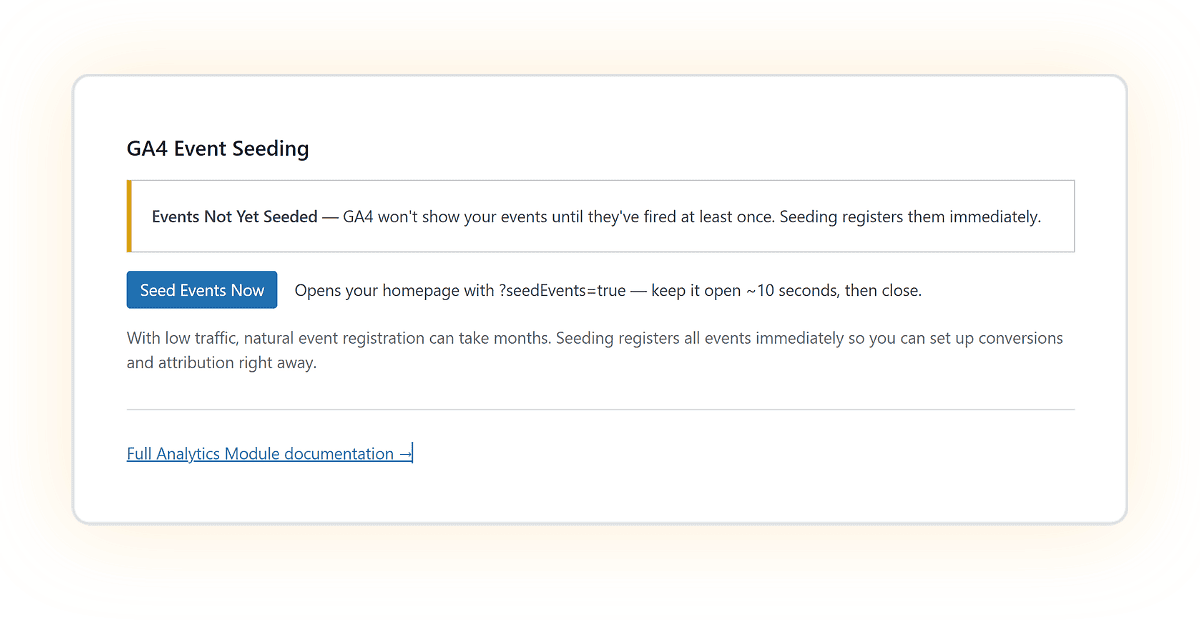
How to Seed Events
- Open Site Essentials > Analytics
- Click Seed Events Now
- Your homepage will open with ?seedEvents=true
- Keep it open ~10 seconds, then close.
- Check Google Analytics
What is Seeding and Why Use it?
Seeding triggers each analytics event once using test data so you can immediately configure reports and ensure GA is receiving all your event data correctly.
When Using Seeding:
- GA4 registers events within 30 seconds
- Events appear in Admin within 24 hours
- Each event fires once
- Uses zero-value test data
- Marked clearly with
[SEED]label - Fully filterable in reports
- You can configure conversions immediately
What happens if you don’t use it?
- First real form submissions, actions and some events can take weeks to be triggered by real users.
- Until the events appear in Google Analytics, you can’t configure conversions, you can’t build funnels.
- You’re flying blind
Important Note
If your IP is excluded in GA4:
- You won’t see your own events in Realtime
- But events are still recorded
Filtering Seed Data
To exclude test data in reports:
Filter condition:
event_label does not contain "[SEED]"
Want to Contribute to SCOS?
SCOS is a Strategic Content Operating System - learn more or contact us on support@brighterwebsites.com.au.